




 Click it and Unblock the Notifications


Latest Updates
-
 लंबे समय तक बैठे रहने से रीढ़ की हड्डी को पहुंचता है नुकसान, डॉक्टर ने बताया इतने घंटे में ब्रेक जरूरी
 -
 Imran Khan Net Worth: भारत छोड़ने के आदेश के बाद इमरान खान की संपत्ति का क्या होगा? जानें कितनी है नेटवर्थ
 -
 ग्रेटर नोएडा के इस गांव में आज भी होती है रावण की पूजा, दशहरे पर दहन बल्कि शोक मनाते हैं लोग
 -
 Shardiya Navratri 2026 Day 6: नवरात्रि के छठे दिन करें मां कात्यायनी की पूजा, जानें विधि, मंत्र, भोग और आरती
 -
 National Boss Day 2026 Wishes: कभी गाइड करते...बॉस डे पर अपने बॉस का दिल से कहें शुक्रिया, भेजें ये खास संदेश
 -
 क्रिएटिनिन क्या होता है? जानें स्वस्थ किडनी के लिए क्रिएटिनिन का नॉर्मल लेवल कितना होना चाहिए
 -
 Durga Puja Pandals in Delhi NCR: ये हैं दिल्ली-एनसीआर के टॉप 10 दुर्गा पूजा पंडाल, इस नवरात्रि जरूर करें दर्शन
 -
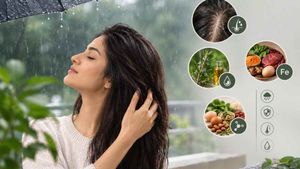 बारिश में बाल झड़ना कैसे रोकें: कारण, देखभाल और जरूरी पोषक तत्व
 -
 Ashtami Navami 2026 Date: अष्टमी और नवमी कब है? जानें सही तिथि, कन्या पूजन का शुभ मुहूर्त और महत्व
 -
 Global Handwashing Day 2026: इस बार किस थीम के साथ मनाया जा रहा है यह दिन? जानें हाथ धोने का सही तरीका


Google Gemini AI से Premanand Ji Maharaj के साथ बनाए फोटो, ये देखें 6 ईजी Prompts
Premanand Ji Maharaj Google Gemini AI Easy Prompts : अगर आप इंस्टाग्राम पर नजर डालें, तो देखेंगे कि प्रेमानंद जी महाराज की फोटो सोशल मीडिया पर खूब वायरल हो रही हैं। लोग ऐसी तस्वीरें शेयर कर रहे हैं जिसमें वे उनके पैर के पास बैठे हुए हैं, उनके साथ खड़े हैं, या उन्हें गले लगा रहे हैं। असल में, हर किसी के लिए उनसे मिलना आसान नहीं है। तो ऐसे में आप ये वायरल फोटो कैसे बना सकते हैं? इसका जवाब है Google Gemini AI फोटो एडिटिंग।
आप भी AI तकनीक की मदद से खुद की फोटो को Premanand Ji Maharaj के साथ जोड़ सकते हैं। आप ऐसा दिखा सकते हैं जैसे आप उनके पैरों के पास बैठे हैं, उनके साथ खड़े हैं या उनके गोद में सिर रखकर अपनी श्रद्धा प्रकट कर रहे हैं। आइए जानते हैं ऐसी फोटो बनाने का तरीका और सही प्रॉम्पट्स क्या है?

यह कैसे काम करता है?
अपनी फोटो अपलोड करें : सबसे पहले अपनी स्पष्ट और अच्छी क्वालिटी वाली फोटो अपलोड करें।
सीन चुनें : AI आपके फोटो को Premanand Ji Maharaj के सीन में सही तरीके से एडजस्ट कर देगा।
स्टाइल चुनें : आप कई स्टाइल चुन सकते हैं जैसे पैर के पास बैठना, भीड़ में खड़ा होना, या गले लगाना।
डाउनलोड और शेयर करें : फोटो तैयार होने के बाद आप इसे डाउनलोड करके सोशल मीडिया पर शेयर कर सकते हैं।
इन 5 Prompts का इस्तेमाल करें
Prompt 1.
Create a realistic image of me sitting near Premanand Ji Maharaj's feet with soft devotional lighting.
Prompt 2.
Create a cinematic, emotional scene featuring Premanand Ji Maharaj and me together in a serene forest at dusk. The setting has ancient trees with soft, golden evening light filtering through the foliage. Both of us are near a large, old tree trunk: Premanand Ji Maharaj sits gracefully on the log, radiating calm wisdom as he gently speaks and shares his guidance, while I rest my head on his lap, listening attentively. The scene should convey warmth and a deep spiritual connection between us.
Prompt 3.
AI photo of me hugging Premanand Ji Maharaj with a peaceful temple background. Make a creative image of me standing with multiple devotees around Premanand Ji Maharaj.
Prompt 4.
Create a photo where I am resting in Premanand Ji Maharaj's lap with natural expressions.
Prompt 5.
Generate an image of me offering flowers to Premanand Ji Maharaj with warm lighting.
Prompt 6.
(Merge the two provided images for Image) create a cinematic scene where the girl sits at Premanand Ji Maharaj's feet, receiving his blessings as he gently places his hands on her head. The girl should appear happy and smiling, wearing a Pinterest-style brown saree with a vintage, retro effect. The composition should have a grainy yet bright Pinterest aesthetic, with dreamy, windy, and blessed vibes. Both are against a solid wall with deep shadows and warm golden-hour lighting. The background is minimalist and textured, evoking calm, introspective, and artistic emotions. Keep faces unchanged, HD output.
ट्रेंड क्यों है इतना पॉपुलर?
लोग ऐसे फोटो पसंद करते हैं जो स्पिरिचुअल और रियलिस्टिक लगें। Google Gemini AI की मदद से अब कोई भी इस ट्रेंड में शामिल हो सकता है, बिना असली मुलाकात के। ये फोटो न सिर्फ खूबसूरत दिखती हैं बल्कि भावनात्मक रूप से भी आकर्षक होती हैं।
- हाई-क्वालिटी फोटो बनाने के टिप्स
- साफ़ और हाई-रेज़ोल्यूशन फोटो का इस्तेमाल करें।
- अलग-अलग पोज़ और एक्सप्रेशन आज़माएं।
- AI जेनरेटेड फोटो को कलेक्शन या कोलाज में बदलें।
- सत्कार और सम्मान के साथ शेयर करें।

 Continue with Google

